Lead-to-CRM automation — how to connect ads, forms and sales
 Przemysław Tischner·March 11, 2026·15 min czytania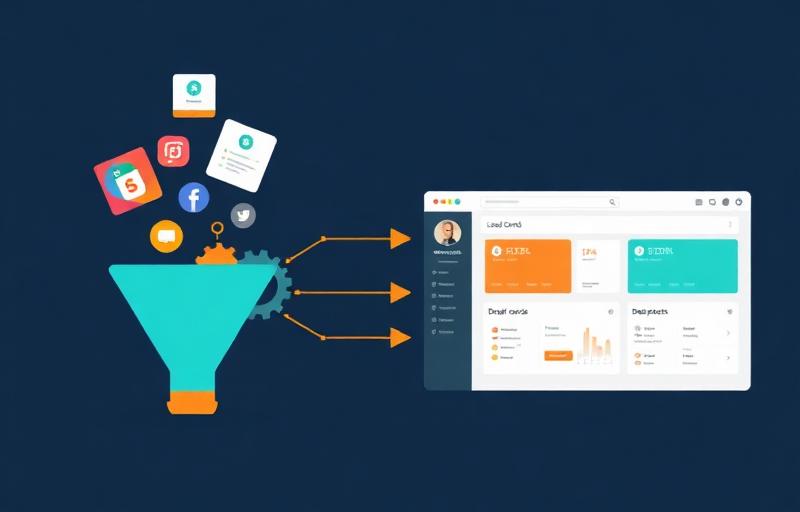
Problem: leads get lost between the ad and the sales rep
A company spends €1,200 per month on Facebook and Google ads. Leads come in via email, forms, and sometimes Messenger. The sales rep manually enters them into the CRM — when they have time. Some leads wait 2 days for contact. Some never make it into the system at all.
This isn't a small company problem. This is a problem for most companies running ad campaigns with a CRM.
The gap between the moment a customer submits their data and the moment a sales rep sees it in the system — that's where money disappears. Research shows that the chance of closing a lead drops by 80% after the first 5 minutes without contact.
Lead → CRM automation closes that gap to zero.
How lead → CRM automation works
The principle is simple: customer submits data → system automatically creates a contact and deal in CRM → sales rep gets a notification → customer gets a confirmation.
1. Lead source
Website form, Facebook Lead Ads, Instagram Lead Ads, Google Ads landing page, trade show form, manual entry.
2. Automation platform
Make.com, Zapier or n8n captures the lead the moment it's created and processes the data.
3. Business logic
The system checks: does this contact already exist in CRM (deduplication)? Which sales rep to assign? What status to set? What source to tag?
4. CRM
Contact and deal appear in the system with full data, assigned to the right person, with the correct source.
5. Notification
Sales rep gets an SMS, email or push notification: "New lead from Facebook Ads, John Smith, interested in offer X."
6. Customer confirmation
Automatic email or SMS: "Thank you for reaching out, we'll contact you within 30 minutes."
⏱ Time from customer data submission to lead appearing in CRM: under 60 seconds.
What you can connect: 4 lead sources
1. Facebook and Instagram Lead Ads
The most popular lead source for SMBs. The customer clicks an ad, fills out a native form inside Facebook or Instagram and submits data — without leaving the platform.
Native form = higher conversion rate (data auto-filled from profile), but no UTM (customer doesn't go through the website). You identify the lead source via the integration channel and campaign metadata.
Make.com and Zapier have native triggers for Facebook Lead Ads. The lead enters the automation the moment the form is submitted.
2. Website form
Customer fills out a contact form, quote request or newsletter signup. Data goes to the form system (Fillout, Typeform, Google Forms, built-in CMS form) and from there to the automation.
Here UTM works — if the customer arrived from an ad, the URL contains utm_source, utm_medium, utm_campaign parameters. The automation platform reads them and passes them to CRM as the lead source.
3. Google Ads landing page
A dedicated page for a specific campaign. Works identically to a website form, but the landing page is optimized for conversion. UTM from Google Ads campaigns allows you to precisely tag which campaign and keyword the lead came from.
4. Offline leads (phone, referrals, trade shows)
Not every lead comes online. A sales rep returns from a trade show with 30 business cards. Someone calls from a referral. A business partner forwards a contact via email.
These leads can also be pulled into automation: a simple internal form (e.g., in Fillout or Google Forms) used only by the team. The sales rep enters data, selects a source ("trade show," "referral," "phone") — the rest works automatically.
Which CRMs it works with
Short answer: any CRM that has an API or Zapier/Make integration.
CRMs with native Make.com and Zapier integration
Pipedrive — native modules in Make.com and Zapier. Create contacts, deals, activities. Full custom field support. One of the easiest CRMs to integrate. Popular among sales-driven companies.
HubSpot — native modules in Make.com and Zapier. Free CRM plan (up to 5 users) makes it a common starting choice. Supports contacts, companies, deals, notes.
Zoho CRM — native modules in Make.com and Zapier. Flexible, many custom fields, integration with the entire Zoho ecosystem (Desk, Books, Campaigns).
Freshworks (Freshsales) — native modules in Zapier, in Make.com via HTTP. Good internal automation, lead scoring, email sequences.
CRMs with Zapier integration
Berg System — a Polish CRM popular in the financial and insurance industry. Native Zapier integration. No native Make.com module, but full REST API — can be connected via HTTP module in Make. Supports contact deduplication, lead exchange and custom fields.
Livespace — a Polish CRM focused on sales processes. Zapier integration. Non-linear sales processes — a unique feature on the Polish market.
CRMs with API integration (HTTP)
Firmao — a Polish CRM with an ERP module. API integration, connection in Make.com via HTTP module.
Synergius CRM — Polish, flexible, targeted at SMBs. REST API, integration via HTTP in Make.com or n8n.
Baseline — a Polish CRM system with document and service modules. KSeF integration. API available, connection via HTTP.
Base (base.com) — an e-commerce platform with a new CRM module for B2B customers. Customer statuses, order history, automatic actions. Bitrix24 integration, own API.
Enterprise CRMs
Salesforce, Microsoft Dynamics 365 — native integrations with Make.com and Zapier, but typically implemented by dedicated partners. Usually too expensive for SMB budgets.
What about Airtable?
Airtable isn't a CRM, but many SMBs use it as a lightweight CRM — especially when they need flexibility that a rigid traditional CRM structure doesn't provide. Native modules in Make.com and Zapier, full control over data structure. Good starting solution, but won't replace a full CRM with 10+ sales reps.
How does CRM know the lead is from Facebook?
This question comes up at every meeting with a client running campaigns across multiple channels.
Leads from native forms (Facebook/Instagram Lead Ads)
The customer doesn't go through the website — there's no UTM. You identify the source by which trigger fired. Facebook Lead Ads API returns metadata with each lead: platform (Facebook vs Instagram), campaign name, ad set, form. You capture this data in Make.com/Zapier and map it to the "source" field in CRM.
Important: most CRMs (including Berg System, Pipedrive, HubSpot) have a "source/origin" field based on a dictionary — a predefined list of values. You need to create a mapping: platform=facebook → CRM dictionary "Facebook Ads."
Leads from website forms (with UTM)
Customer clicked a Google Ads ad with UTM in the link, landed on the page, filled out a form. The form system captures utm_source, utm_medium, utm_campaign parameters from the URL and passes them along with the lead data to the automation. Make.com reads UTM and maps it to the CRM dictionary value: utm_source=google → "Google Ads."
Offline leads
Source is set manually — the sales rep selects from a list ("trade show," "referral," "phone") in the internal form.
Deduplication: what if the contact already exists?
Customer John Smith submitted data a month ago via the website form. Now he clicked a Facebook ad and submitted data again. Without deduplication you have two contacts in CRM — chaos.
Solution: automation first searches for a contact by email address. If found — adds a new deal to the existing contact. If not — creates a new one. In Zapier this is a standard pattern (Find or Create Contact → Create Deal). In Make.com you build it via Search module + Router.
How much it costs
| Variant | Implementation | Monthly | Time |
|---|---|---|---|
| Single source (e.g., FB Lead Ads → CRM) | €500–1,000 | €50–100 | 1–2 weeks |
| 2–3 sources + deduplication + notifications | €1,000–2,000 | €50–150 | 2–4 weeks |
| Full system (all sources + routing + SLA + reporting) | €2,000–3,500 | €100–200 | 4–6 weeks |
Monthly price includes: automation platform (Make.com/n8n), monitoring, fixes, minor modifications. You don't pay separately for operations or API.
When does it pay off?
Example: a company spends €1,200/month on FB ads. Generates 100 leads per month. Without automation, 10% of leads are lost (not entered into CRM, late contact). That's 10 leads × average deal value of €700 = €7,000 in potential revenue lost.
Even if only 1 of those 10 leads converts — the €1,000 implementation pays for itself in the first month.
When lead automation is not worth it
You have fewer than 10 leads per month
Manual CRM entry takes 20 minutes a day. Automation is overkill. Better to invest in better ads.
You don't have a CRM
There's nothing to automate if leads end up in Excel anyway. First implement a CRM (even free HubSpot or Airtable), then automate.
You don't have a repeatable sales process
If every lead is handled differently, automation won't help. First establish the process, then automate it.
Your ads aren't generating leads
If the problem is in campaigns (bad targeting, bad landing page), CRM automation won't improve conversion. Fix the source first.
Implementation timeline
| Week | What happens |
|---|---|
| 1 | Audit: what lead sources, what CRM, what sales process, what CRM fields are needed |
| 2 | Configuration: connecting sources to CRM, deduplication logic, field and source mapping |
| 3 | Testing: running test leads from each source, verification with sales reps |
| 4 | Production launch: going live, monitoring the first days |
| 5+ | Optimization: adding more sources, lead routing, reports, SLA |
Simple implementation (one source, one CRM) takes 1–2 weeks. Full system with multiple sources, deduplication and reporting — 4–6 weeks.
Most common mistakes
1. No contact deduplication
The biggest CRM mess happens when the same customer is entered 3 times — from a form, from FB Lead Ads and manually by a sales rep. Email deduplication is the absolute minimum for every implementation.
2. Lead enters CRM but nobody gets notified
A contact in the system isn't enough. The sales rep needs to know about a new lead — immediately. SMS or push notification is a must-have, especially for ad leads.
3. No lead source tagging
A month later the boss asks: "Which ads bring customers?" If CRM doesn't have a "source" field filled automatically — you can't answer. Source mapping is the foundation of campaign ROI reporting.
4. Automation without an established sales process
"Lead enters CRM — then what?" If you don't know who calls, when, and what they say — automation will deliver leads faster, but conversion won't improve.
5. Testing on production data
A test lead "aaa@test.com" goes to the real CRM, sales rep calls a fake number. Always test on a separate pipeline/stage in CRM, not on production.
Summary
Lead → CRM automation is one of the implementations with the fastest return on investment. It closes the gap between ad spend and sales rep response.
It works with any CRM that has an API or Zapier integration — from Pipedrive and HubSpot, through Polish systems like Berg System, Livespace and Firmao, to Airtable as a lightweight CRM.
Key principles:
- ✓ Start with one lead source (e.g., FB Lead Ads) and expand
- ✓ Contact deduplication by email — always
- ✓ Map lead source automatically — it's the foundation of ROI reporting
- ✓ Notification to sales rep within a minute — not an hour
- ✓ First establish the sales process, then automate it
Chcesz zobaczyć jak to działa?
Umów bezpłatną konsultację — pokażemy rozwiązanie dopasowane do Twojej firmy.
Umów bezpłatną konsultacjęlub zadzwoń: +48 660 446 190
Frequently asked questions
Przemysław Tischner
Konsultant automatyzacji, WPROWADZAMY.AI
15 lat doświadczenia w sprzedaży i zarządzaniu procesami. Specjalista Make.com, Zapier i N8N. Pomaga firmom MŚP wdrażać automatyzację i agentów AI.
Więcej o mnie →